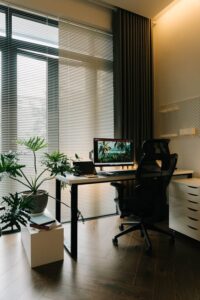
Tips for Creating a Productive Home Office Environment
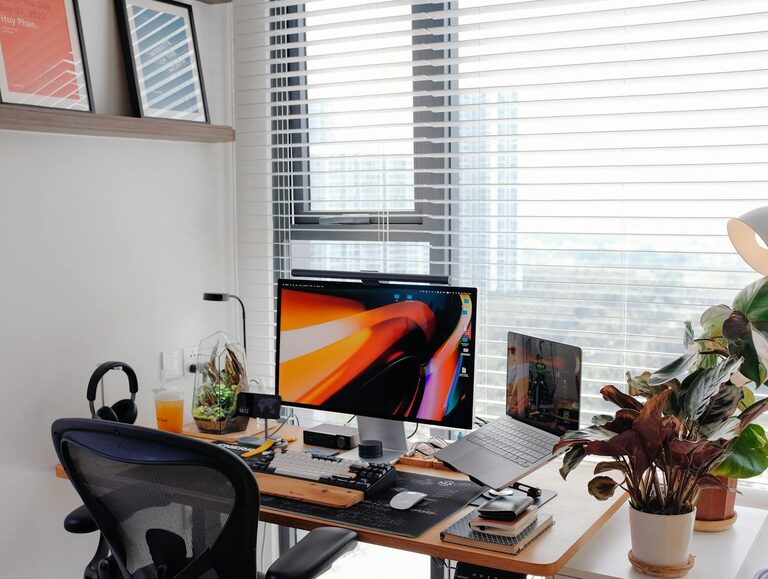
Creating a productive home office environment is essential for making the most of your time when working remotely. A well-organised and comfortable space can help reduce distractions, improve focus, and enhance your overall work experience. Whether you have a dedicated room or a corner in your living area, these tips will guide you in designing a workspace that supports productivity.
1. Choose the Right Location
Selecting the best spot for your home office is the first step towards productivity. Ideally, pick an area that is quiet, well-lit, and separated from high-traffic zones in your home. If possible, avoid working from your bedroom or couch to mentally distinguish work from relaxation.
Consider natural light
Natural light can boost mood and energy levels. Try to position your desk near a window, which provides daylight and a view to help reduce eye strain and keep you refreshed.
2. Invest in Ergonomic Furniture
Comfort is key when spending long hours at your desk. Investing in ergonomic furniture prevents discomfort and supports your posture, which can improve concentration.
– Desk: Choose a desk with enough surface area for your computer, notebooks, and other essentials.
– Chair: An adjustable chair with lumbar support helps prevent back pain.
– Accessories: Consider a footrest or wrist support to complement your setup.
3. Keep Your Workspace Organised
An organised workspace reduces stress and helps you focus on tasks without unnecessary distractions.
– Declutter regularly: Remove items that are not essential for your work.
– Storage solutions: Use filing cabinets, drawers, or shelves to keep documents and office supplies tidy.
– Minimalism works: Keep only the tools and items you frequently use on your desk.
4. Establish a Routine and Boundaries
Working from home can blur the line between professional and personal life. Setting boundaries helps maintain balance and productivity.
– Set working hours: Decide on your start and finish times and stick to them.
– Break time: Schedule short breaks to rest your eyes and stretch.
– Inform others: Let family members or roommates know your work schedule to minimise interruptions.
5. Control Noise and Distractions
Noise can be a significant productivity killer, especially in a busy household.
– Use headphones: Noise-cancelling headphones or earbuds can help you concentrate.
– Background sounds: Some people find soft music or white noise helpful.
– Signage: Placing a small sign outside your workspace can remind others to respect your focus time.
6. Ensure Reliable Technology
Reliable equipment is essential for seamless work and communication.
– Internet connection: A stable and fast connection prevents disruptions in meetings and downloads.
– Computer and peripherals: Keep your devices updated and have backup solutions if needed.
– Software tools: Use productivity apps and collaboration platforms suited to your tasks.
7. Personalise Your Space
Adding personal touches can make your home office inviting and motivating without causing clutter.
– Plants: Indoor plants improve air quality and add a calming vibe.
– Artwork: Inspirational quotes or pictures can provide encouragement.
– Lighting: Aside from natural light, use adjustable lamps to ensure proper illumination during darker hours.
8. Prioritise Health and Wellbeing
Your physical and mental health is paramount for sustained productivity.
– Take regular breaks: Step away from your screen to reduce eye strain and avoid fatigue.
– Stay hydrated: Keep water nearby and drink throughout the day.
– Move around: Incorporate light stretching or short walks to keep energy levels up.
—
By following these tips, you can create a home office environment that supports focus, comfort, and efficiency. Remember, a productive workspace is one that suits your individual needs and style, so feel free to adapt these suggestions until you find the perfect balance.